Family
Everyone sees it: visiting grandma, a school meeting, Saturday dinner.
Family plans, things for the two of you and everyone’s own tasks. One calendar, and nobody forgets a thing.
Who sees what
Everyone sees it: visiting grandma, a school meeting, Saturday dinner.
For the couple only: an anniversary, a gift, a talk about money. The kids won’t see it.
Personal tasks. Others see that you’re busy, but not with what.
Features
Tap or click a card to flip it.
How it looks
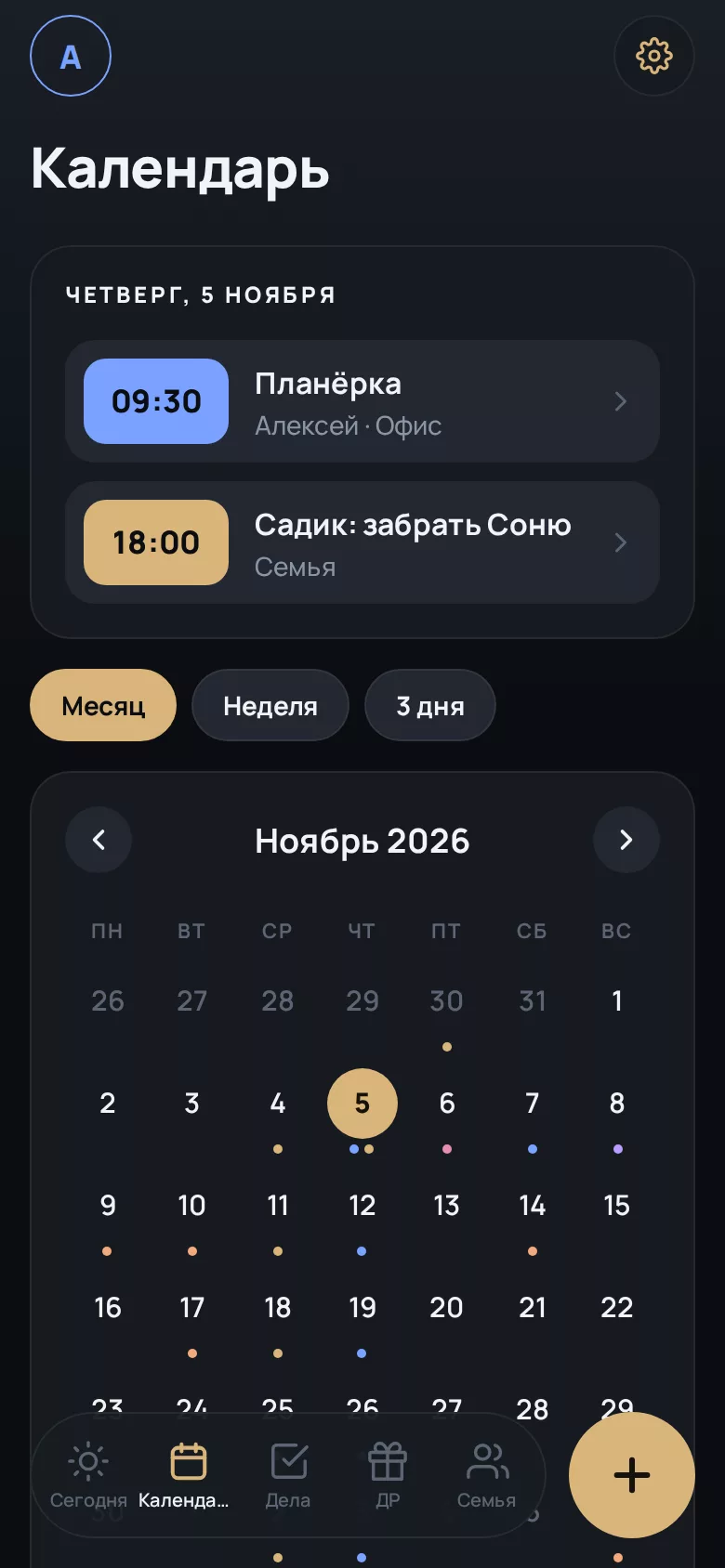
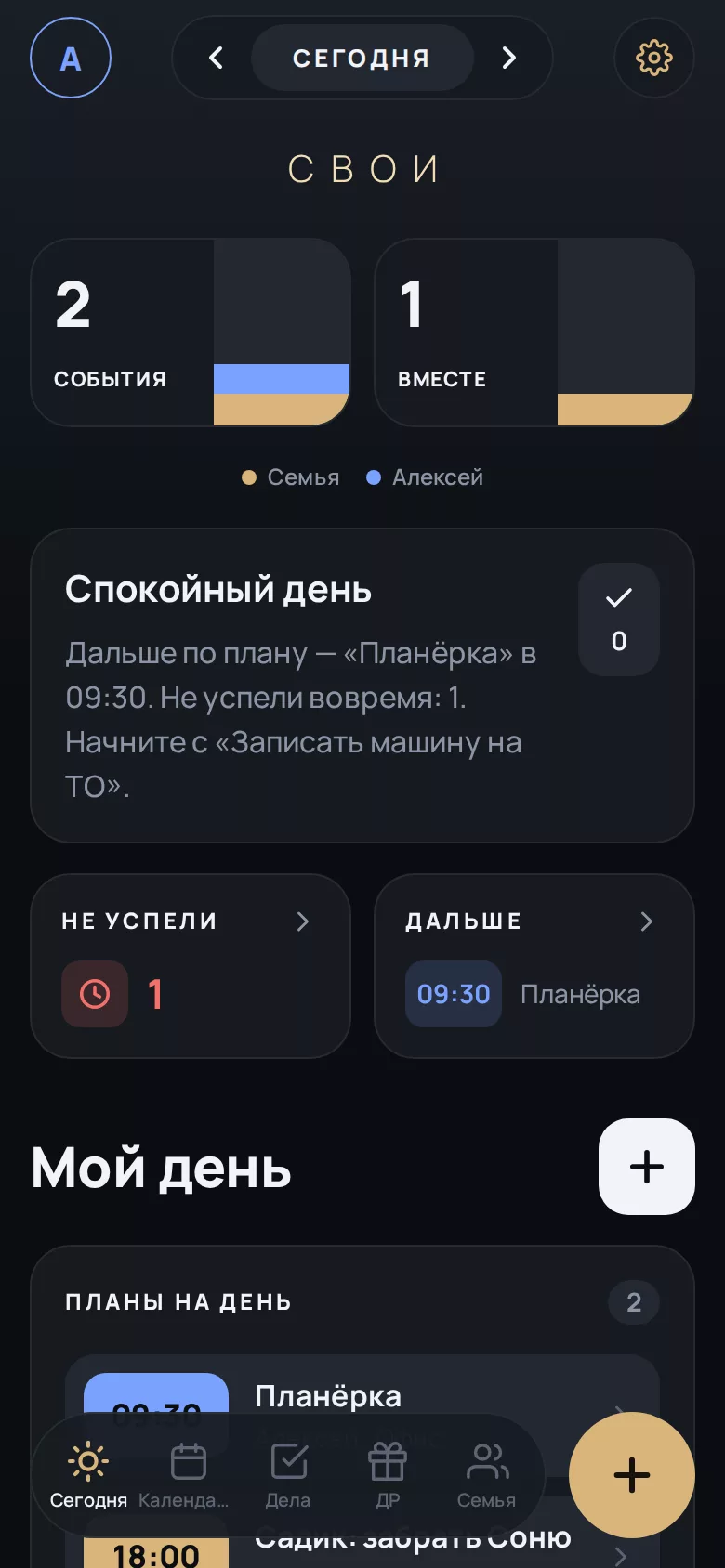
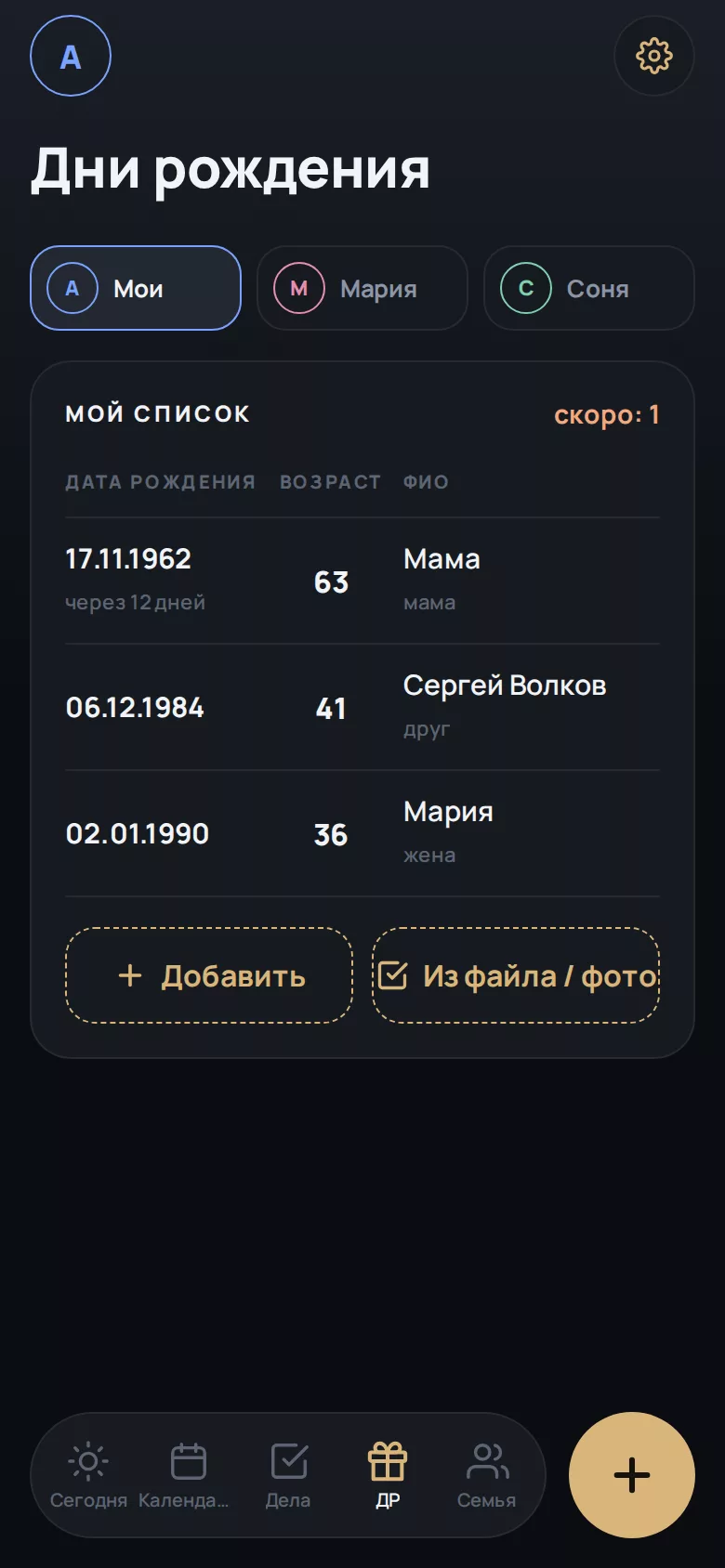
Real life
Fewer group-chat threads, fewer “you never told me”. Here’s how Svoi works in different families.
The whole schedule used to live in my head and in three group chats: clubs, doctors, parent meetings. Every evening I’d retell it all to my husband. Now he opens “Today” himself and sees he’s picking up our youngest from football on Thursday. For the first time in a year I’m not the family dispatcher.
I work two days on, two off, and at home nobody could keep track of when I was free. I added my shifts once as a repeat, and that was it. My wife plans weekends around my schedule instead of guessing. And I finally made it to my daughter’s school show instead of hearing about it the next day.
We used to find out the other one was leaving when they were already packing. Now trips show up well in advance, and for the first time we planned a holiday without arguing. And “Just us two” holds our things: an anniversary, a gift, the talk about the renovation.
I was always mixing up who to congratulate and when. I took a photo of an old address book, pasted the text, and in five minutes every birthday was in the calendar. Now I buy the present in advance instead of texting “belated happy birthday” at night.
My daughter showed me once where to look. Large, clear, nothing extra. I can see when Sasha has swimming and when Masha has English, and I don’t have to call every time to check. They’re calmer, and so am I.
It matters to me that personal stays personal. I booked a meeting for myself, and my husband only sees that I’m busy from three to four. I used to have to explain every “I can’t”; now there’s just a mark, and no questions.
These are composite stories we designed the app around. Real user reviews will appear here once the app is in the stores.
Getting started
From the App Store, Google Play or RuStore.
Add your partner and kids. Each gets their own color and birthday list.
Choose who sees each plan: the whole family, the two of you, or only you.
For now everything is stored on your phone. When sync arrives, data from Russia and Belarus will be stored on a server in Russia, and data from other countries on a separate international server.
Pricing
Promo code FIRST
Enter it when you subscribe on this website. You can cancel any time before the free period ends.
$3.99 per month
Billed monthly. Cancel any time.
$39.99 per year
One payment a year.
You subscribe on the website, and it works right away on iPhone, Android and in the browser: just sign in with the same account. Your bank may convert the price at its own rate.
FAQ
It’s in testing now. The app will be released on the App Store, Google Play and RuStore.
Subscribe on this website and enter FIRST. The first 3 months are free. Before the free period ends we’ll remind you: the subscription only renews at the regular price if you don’t cancel. Cancel any time in your account on the website.
No. Only the two adults see them. Personal tasks are visible only to their author.
Yes. An Excel or CSV file works. You can also photograph a list and paste the text your phone recognizes.
Yes, through your phone’s calendars. Add the account in your phone settings and the events will appear in Svoi.